When rolling out software infrastructure in the factory, there's often a worry that the integration work itself will be too complex and time-consuming. In this blog post, we'll walk you through the integration process and show you how easy it can be. We worked hard to make sure the integration is as quick as 1️⃣, 2️⃣, 3️⃣ ...
Context
You may have come across our architecture documentation that covers the various pieces that put Autumn Labs together. Here's a quick recap:
- Client Services: Run on your station’s industrial PC.
- SDK: Integrates with the code driving your robotic stations—letting you emit rich “events” as things happen.
- Cloud Services: (APIs, Event Processing, Data Processing, Alarms and Intelligence) lives in our backend.
- Web App: Is where stakeholders log in to view real-time status, analytics, and configurations.
Today we'll show you how to install the client services and the SDK on your station and how to push your first message to have it visible in your dashboard in the web app.
Detailed Walk-through
Here is a detailed walk-through of the station integration process. Feel free to watch the video to get some context or skip ahead to read through the written steps in the rest of the blog post below.
A Station Integration Walk-through | 💡 Watch in 4K for the best viewing experience
1️⃣ Install the client
Download
Hop onto your station PC and run the install curl command below. Select the command that is appropriate for your OS.
curl https://client.autumnlabs.io/get | bashcurl https://client.autumnlabs.io/get | bashcurl https://client.autumnlabs.io/get/windows -o install.bat
.\install.batRegister
When prompted, enter the station secret thats on your dashboard ( Overview Page → Station Row → click Secret). This unique ID is the handshake between your physical station and your dashboard.
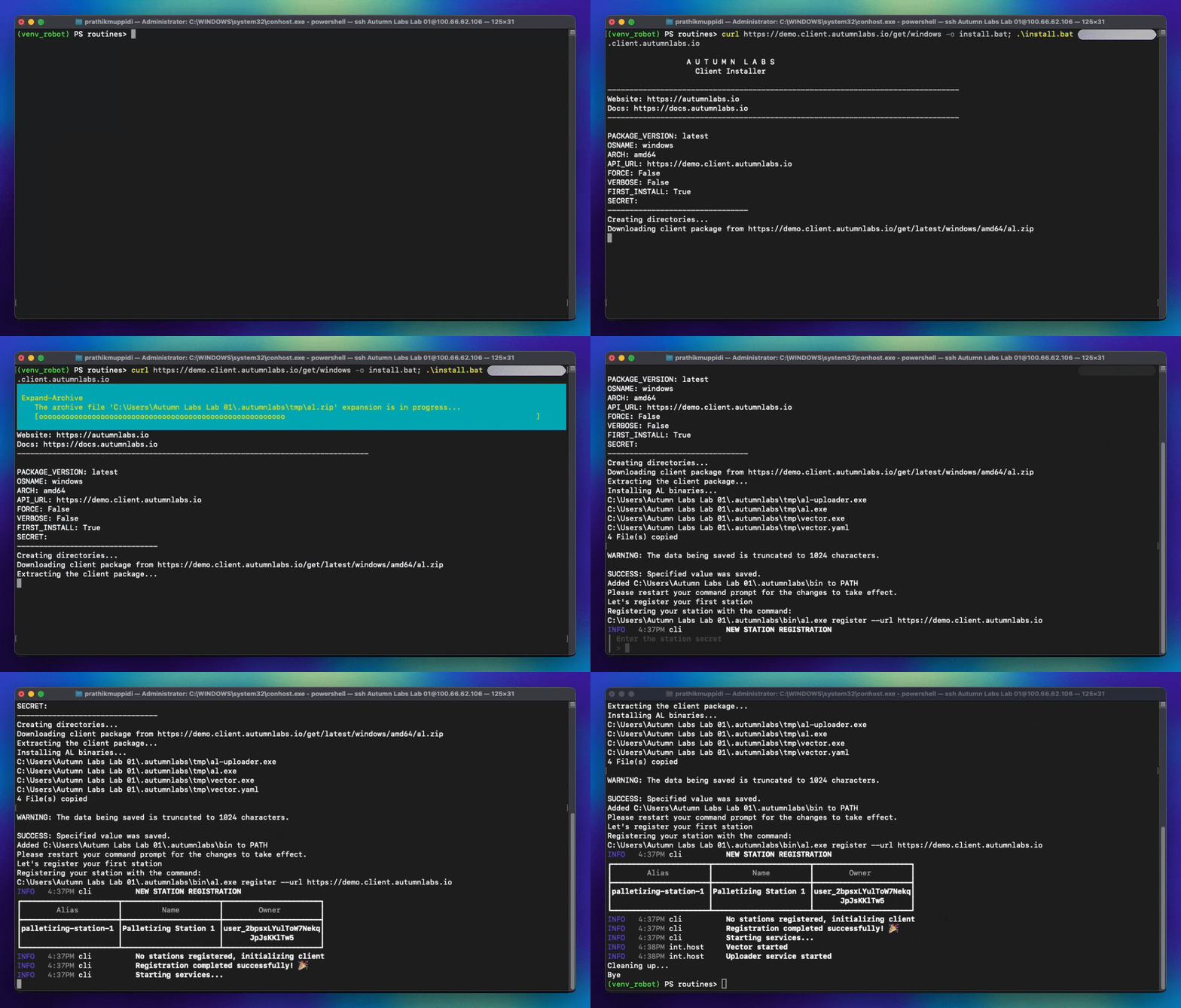
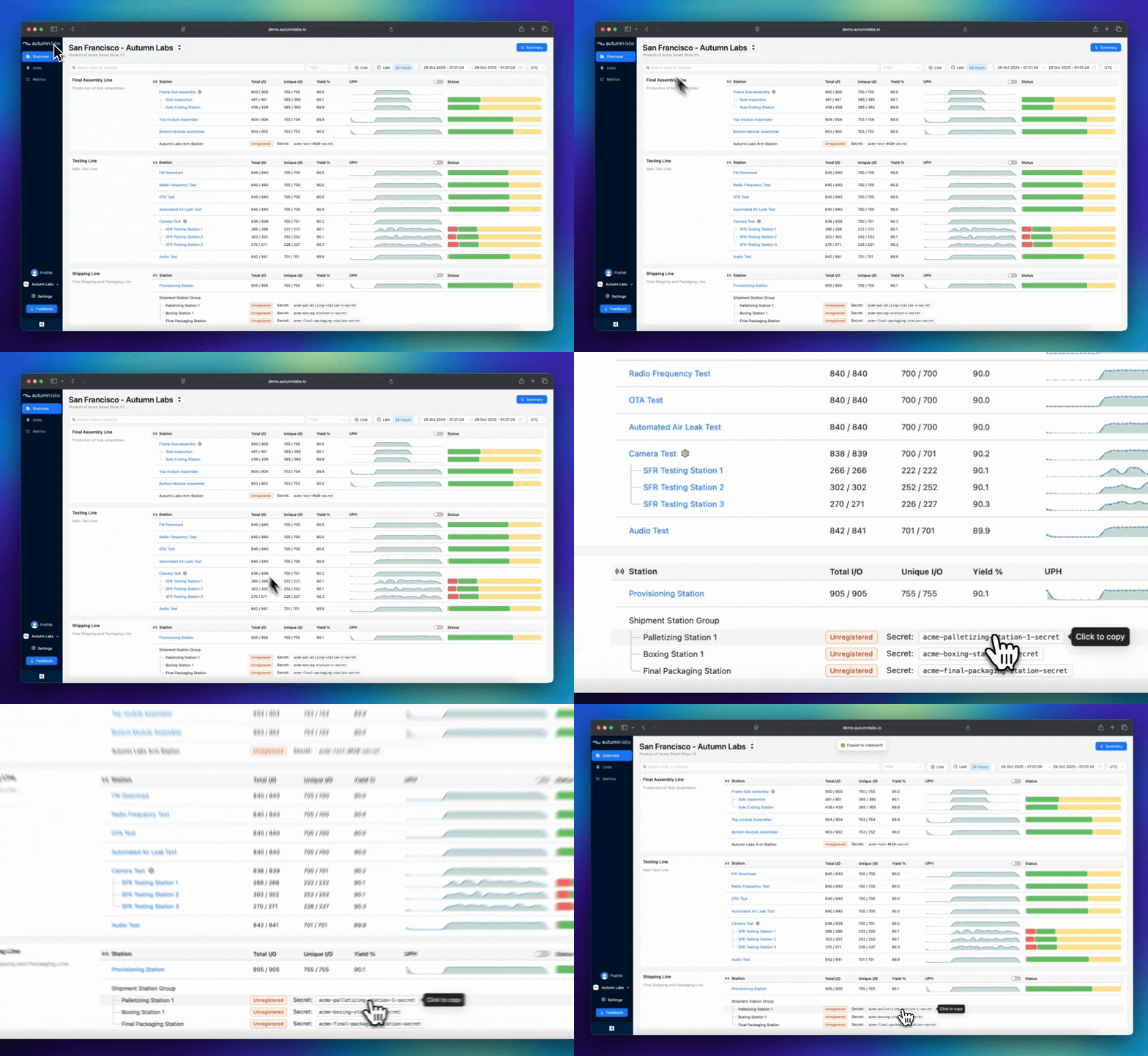
Left: Running the install command. | Right: Copying your station secret.
Requesting Access
If you don't have access to create your own dashboard, you may request access ( ⬇️ ) and we'll get you sorted out ASAP.
2️⃣ Install the SDK
The Autumn SDK gives you a clean, developer-friendly interface for logging, streaming, and working with station data.
Note: Be sure to install the SDK in the virtual environment you are working in.
pip install autumnlabs --extra-index-url https://client.autumnlabs.io/get/sdk/python 🧠 Prefer C#? You’re covered there too — just message us at info@autumnlabs.io and we'll share it ASAP. 📃 Using a different language at your station? We're sure we can accommodate. Just reach out: info@autumnlabs.io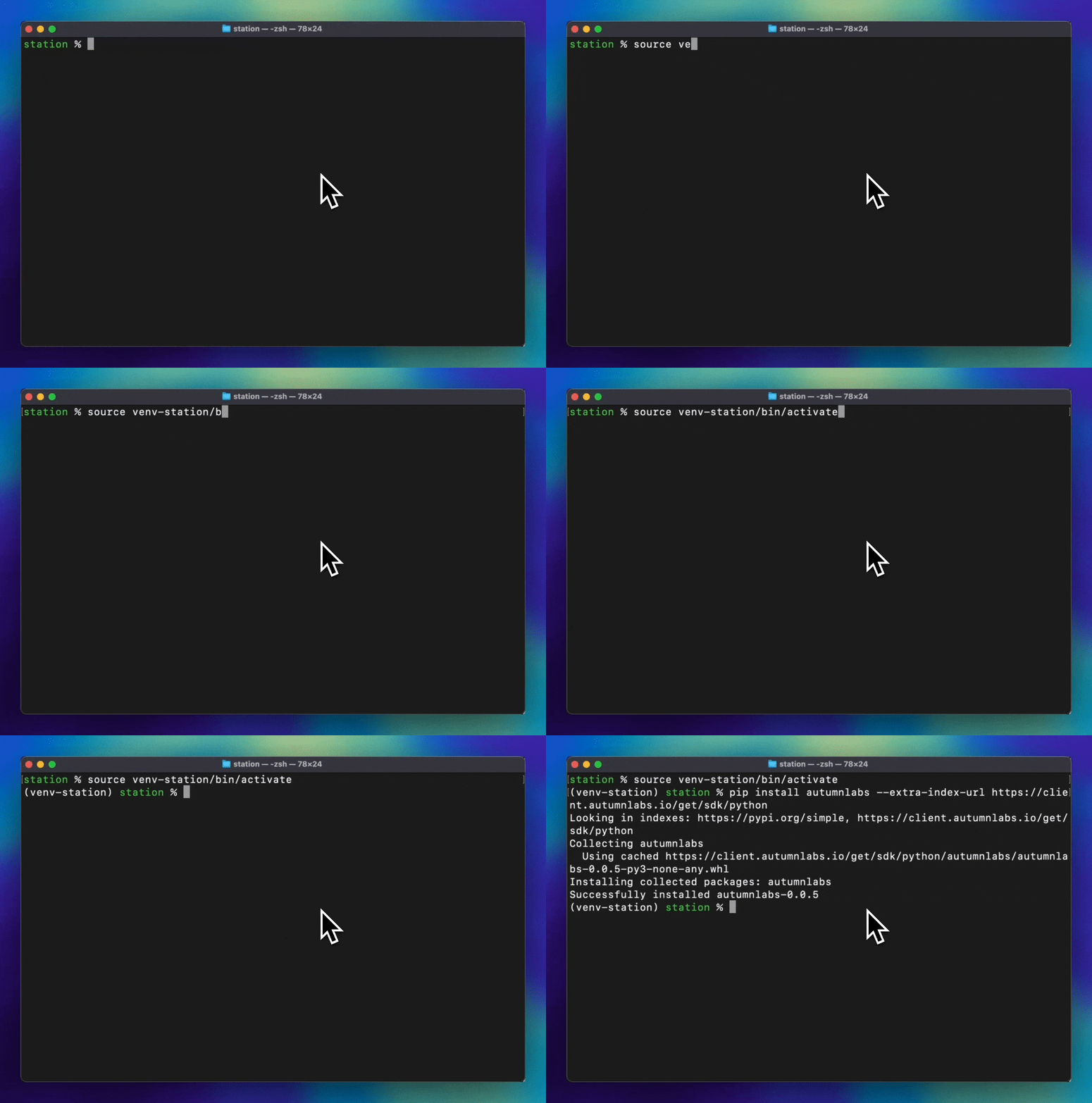
3️⃣ Send Data
You can push data through the SDK or just CLI commands. Our SDK is a faster way for you to push data while in your station routine. The CLI commands are often used for setup and debug purposes.
Push with CLI:
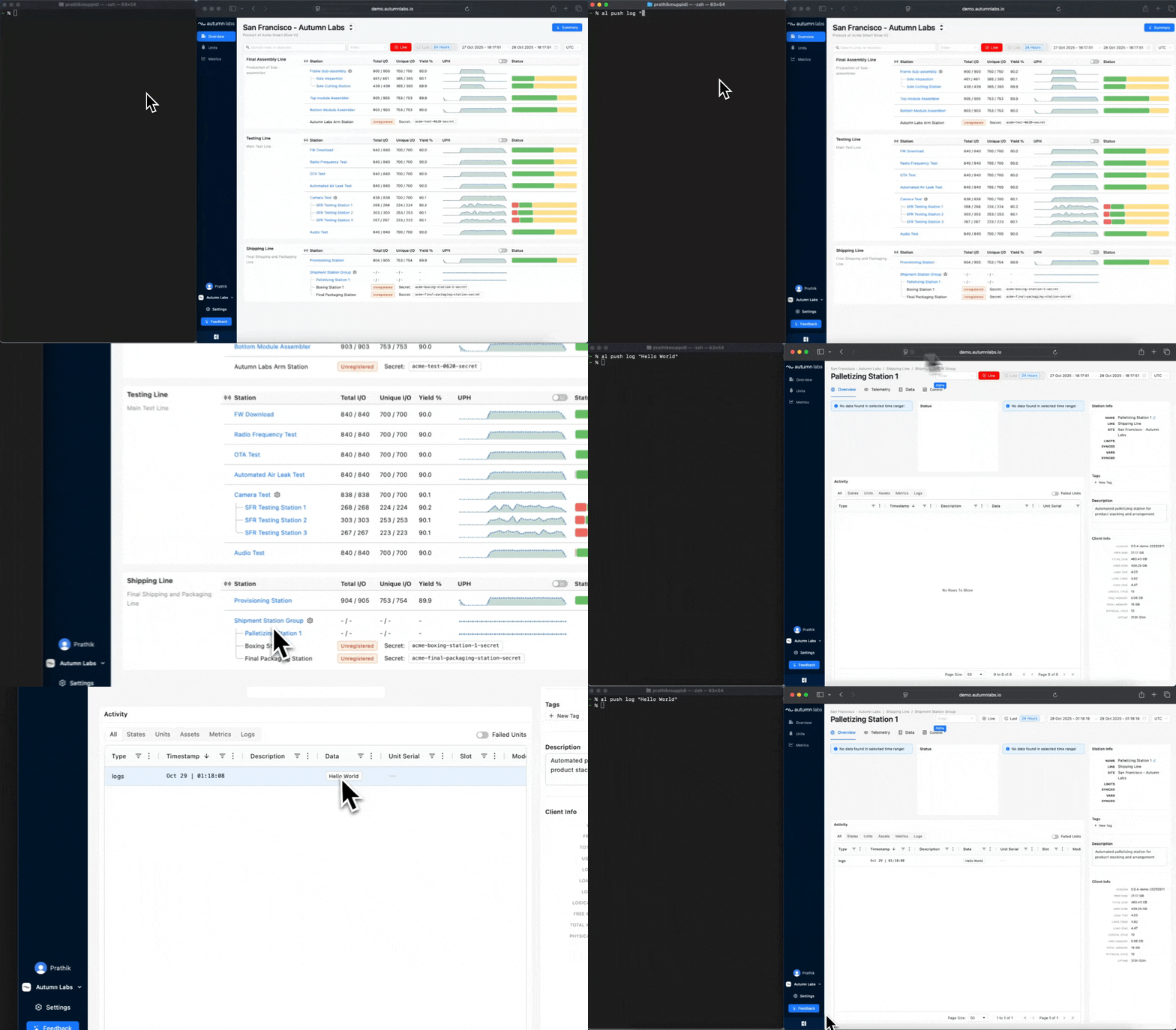
Now, the moment of truth. Open a new terminal (or re-source your shell) and send your first data event:
al push log "Hello World"🎉 Boom — you've just connected your first station to Autumn Labs and sent your first realtime message. Open your dashboard and head to your station's activity feed. You’ll see your message streaming in real time — timestamped, structured, and ready to to be processed.
Push with Code:
Now that you've checked that the CLI command is working. You can use the SDK to push data directly from your station's code in the programming language of your choice. Here is an example of how to push data with the Python SDK.
You have quite a few options at your disposal to send data: push metrics, define states, send assets (images, files), track units in and out, and more. Below are a few of the most commonly used set of commands. For a complete list of commands, please refer to our SDK python documentation.
from autumnlabs.station import AutumnLabsStation

# Initialize a station instance
station = AutumnLabsStation()

# Track a unit coming in
station.track_unit_in("UNIT123", tags=["batch1"], slot="slot1")

# Push a station metric
station.push_metric("temperature", 25.5, value_unit="C", tags=["sensor1"])

# Push a unit metric
station.push_metric("temperature", 25.7, value_unit="C", tags=["sensor1"], unit_serial_number="UNIT123")

# Set station state
station.set_station_state("active", "Station is processing units")

# Track unit going out
station.track_unit_out("UNIT123", result="pass", tags=["completed"])

# Set station state
station.set_station_state("idle", "Station is ready to process units")
Why This Matters
Traditionally, connecting a test stand or production station meant weeks of custom drivers, firewalls, and headaches.
With Autumn Labs, you can now concentrate on what matters, setting up your physical manufacturing line, while
Autumn Labs helps take care of your infrastructure woes.
If you're tempted to try this out yourself, just request access ⬇️ . We'll set up a custom dashboard catered just for you. You're welcome to try out the tooling and infrastructure for a few stations without any upfront costs.
Have any specific questions that we didn't cover? Reach us at info@autumnlabs.io. Otherwise, 🍁 Happy autumn-ating!
Additional Resources
📘 Explore the Quickstart Guide
🧩 Learn about Autumn's Architecture
🧠 Build with the SDK
Written by

Autumn Labs
Last Updated
Wed Nov 12 2025